Physical Address
304 North Cardinal St.
Dorchester Center, MA 02124
Physical Address
304 North Cardinal St.
Dorchester Center, MA 02124

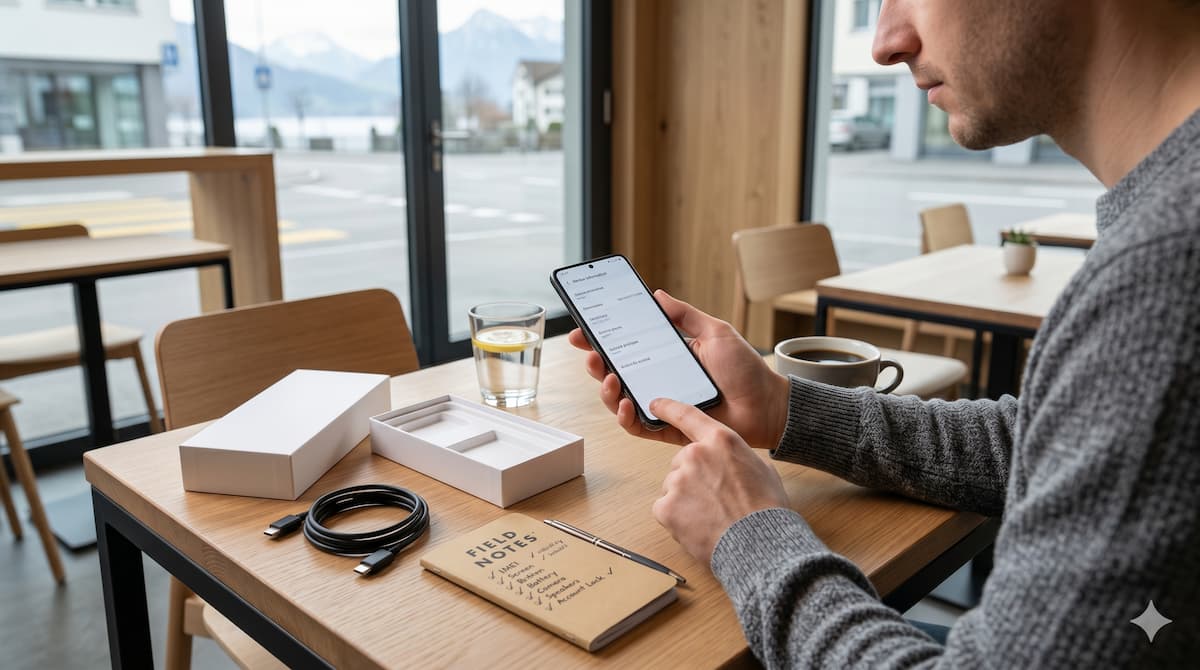
A real-world inspection checklist — from someone who has bought, sold, and repaired hundreds of phones. Do these 10 checks before you hand over a single franc.
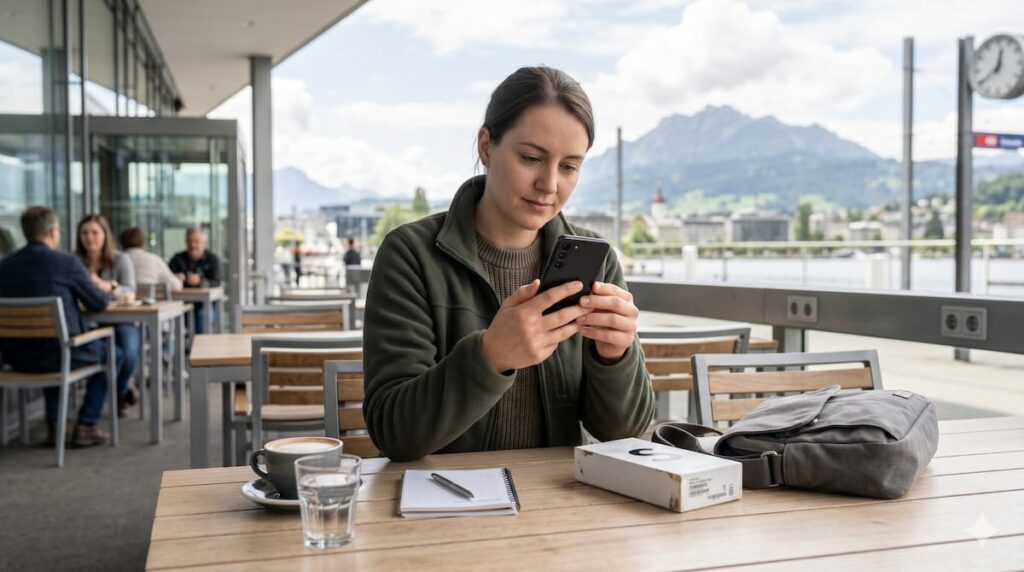
Buying a used Samsung phone in Switzerland can save you CHF 200 to CHF 600 compared to retail — but only if you know what you are doing at the point of sale.
Every week, people in Switzerland buy second-hand phones on Ricardo, Tutti, Anibis, and Facebook Marketplace. Some get a brilliant deal. Others walk away with a phone that has a cracked baseplate hiding under a case, a battery dying after two hours, or worse — a device still locked to someone else’s Google account.
I have personally bought, sold, and repaired hundreds of phones. The difference between a good deal and a disaster is almost always those first 15 minutes of inspection. This guide gives you the exact same checklist I run through every single time — step by step, nothing skipped.
⚠️ BEFORE YOU MEET THE SELLER
In Switzerland, always meet in a public place a café, a train station, or a busy shopping centre. Never meet alone at someone’s home address to buy electronics. Ask for photos of the box, IMEI label, and receipt before you travel. If the seller is on Ricardo or Tutti, check their rating and how long their account has been active.
Before turning the phone on, do a full physical check
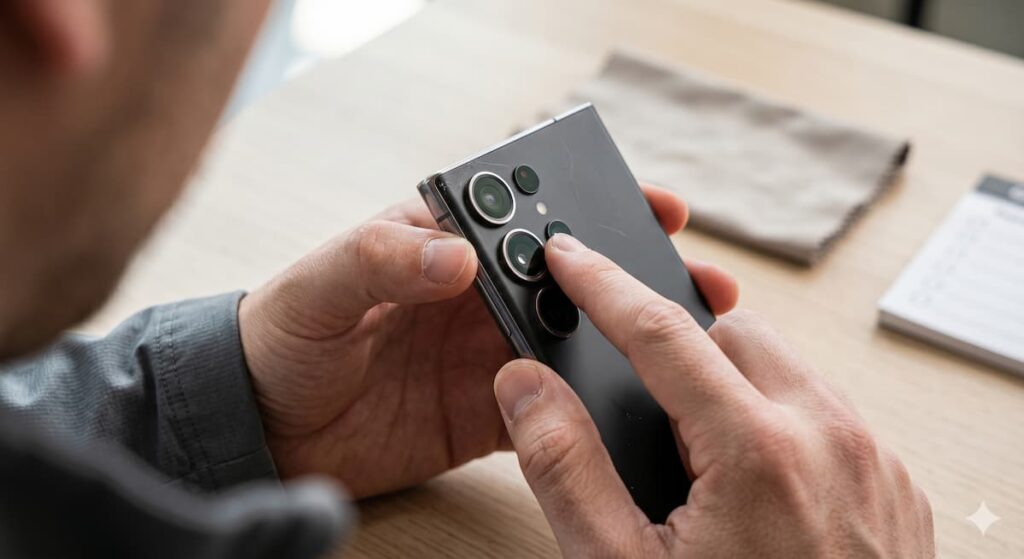
The moment the seller hands you the phone, resist the urge to switch it on immediately. First, do a slow, deliberate physical inspection from every angle. This takes 90 seconds and can reveal a lot about how the phone was treated — and whether parts have been replaced.
💡 PRO TIP
On Samsung Galaxy S and Note series, the frame is metal. Run your finger along the side and feel for any ridge or bulge — this can indicate a swollen battery underneath pushing outward. A swollen battery is dangerous and must be replaced immediately.
Samsung AMOLED screens can develop specific problems — know what to look for
Samsung uses AMOLED displays on most Galaxy phones, especially the S and A series. These screens are excellent but they have specific failure modes you need to test for. A screen replacement on a Samsung S23 or S24 can cost CHF 150–280 — more than enough reason to inspect carefully.
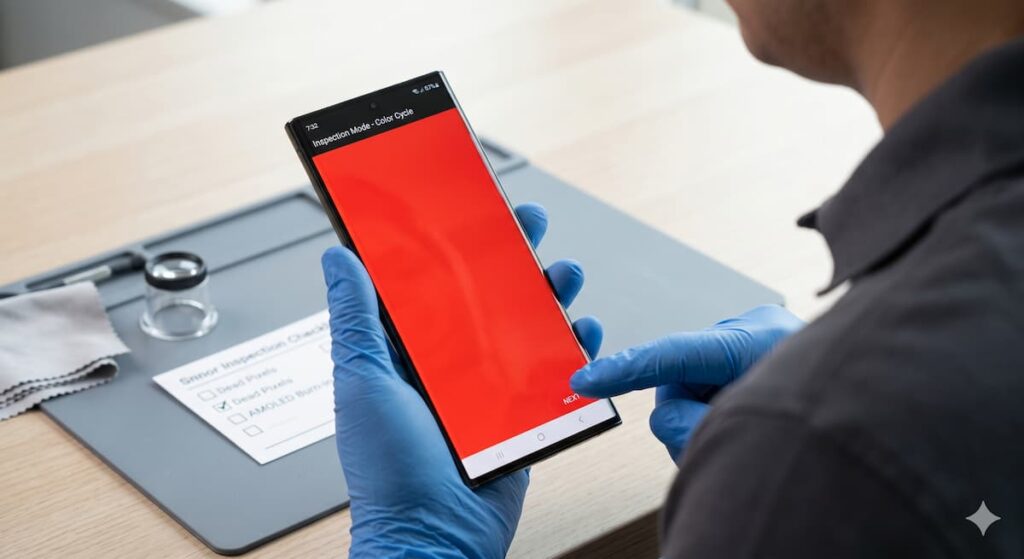
The fastest way to test the screen is Samsung’s built-in diagnostic code. Open the phone dialer and type:
SCREEN TEST CODE
Open the Samsung phone dialer and enter this code:
*#0*#
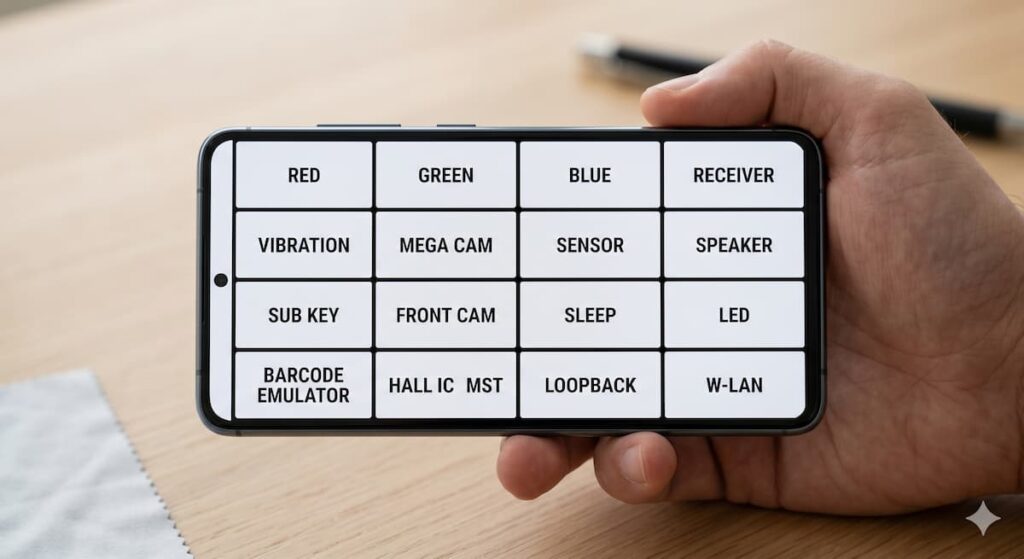
Then tap RED, then GREEN, then BLUE. Check the screen carefully for dead pixels, green lines, burn-in marks, shadows, or any uneven colour patches.
Each colour fills the whole screen. Any dead pixels, stuck pixels, or dark patches will show up clearly against a solid colour.
*#0*# menu, tap Touch and draw lines and circles across the entire screen. Every area should respond — especially near edges and corners.
🚨 WARNING
If you see a green line on the screen, do not let the seller convince you it is “just a small issue.” A vertical green line means the display needs full replacement. This is usually a CHF 150–250 repair. Either negotiate the price down by that amount or walk away.
The Fix Mission is currently run by me personally. With 5 years of experience in phone repair, buying, and selling, I offer free advice before you buy a used phone, sell your current device, or pay for a repair. My goal is simple: help you make a safer decision before spending money.
Get Free Advice →A degraded battery will ruin a good phone — always check this
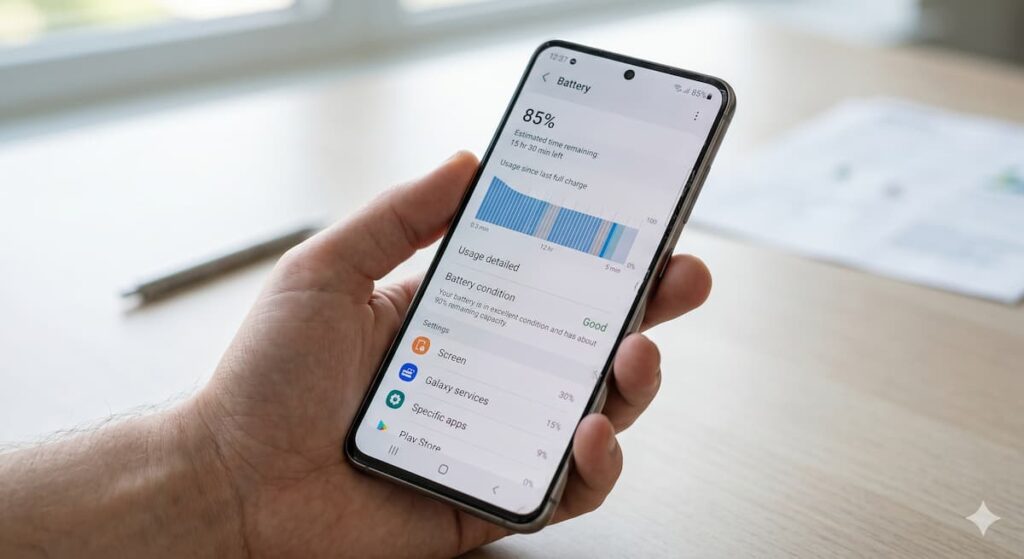
The battery is the component most likely to fail in a used phone. Samsung does not display a battery percentage like Apple does, but you can check the real battery condition using a combination of built-in tools and a quick physical check.
BATTERY TEST CODE
On some Samsung Galaxy models, you can open the phone dialer and enter this code:
*#0228#
This can show battery voltage, temperature, and ADC reading. If the battery temperature is unusually high, the voltage looks unstable, or the phone heats up quickly during normal use, treat it as a warning sign before buying.
A healthy battery at full charge shows around 4.35–4.40V. A reading significantly lower at “100%” charge suggests the battery can no longer hold a full charge.
BATTERY USAGE CHECK
To check battery usage on a Samsung Galaxy phone, go to:
Settings → Battery and Device Care → Battery → Battery usage
One hidden code tests almost every hardware component in seconds
This is the single most powerful tool you have when inspecting a used Samsung — and almost no ordinary buyer knows about it. Samsung Galaxy phones have a hidden engineering diagnostic menu that was built for technicians but works perfectly for buyers too. You do not need to install any app. Just open the dialer and type:
💡 PRO TIP
On newer One UI versions, including One UI 6 and above, this code may be restricted on some carrier-locked models sold in Switzerland. If the code does not open a menu, use the Samsung Members app instead. On unlocked models and most Ricardo/Tutti phones sold in Switzerland, *#0*# usually works properly.
The official Samsung diagnostic tool — thorough and easy to use
The Samsung Members app is Samsung’s official diagnostic tool and it tests every major hardware component with a single tap. It is pre-installed on most Samsung phones — if it is not there, it can be downloaded from the Play Store in under a minute.
SAMSUNG MEMBERS DIAGNOSTIC TEST
If the hidden code does not work, open the Samsung Members app and go to:
Samsung Members App → Support → Phone Diagnostics → Test All
This test checks important hardware functions like battery, screen, touch, speakers, microphone, sensors, vibration, camera, and charging. If any test fails, use it as a warning sign before buying.
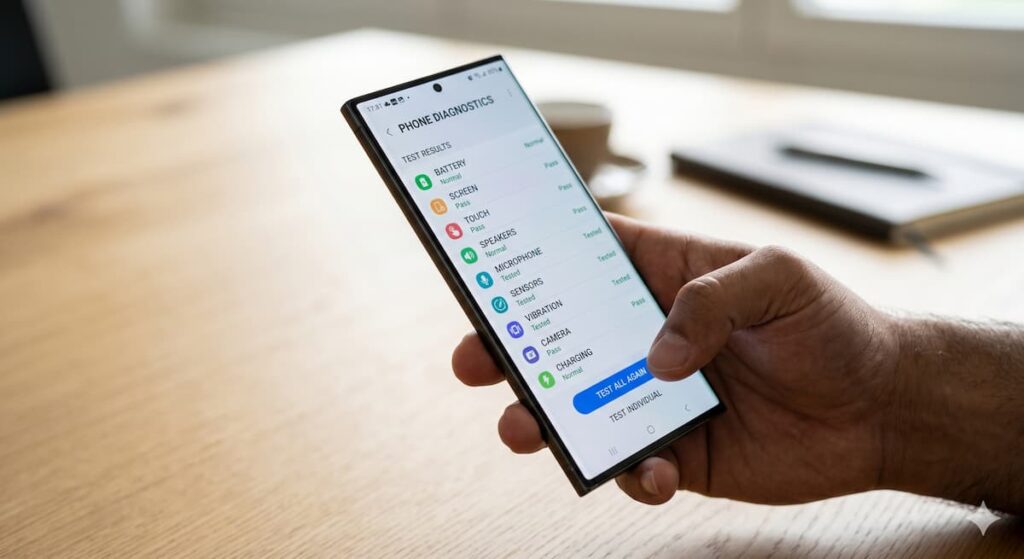
The “Test All” scan covers: NFC, Bluetooth, Wi-Fi, camera, microphone, speakers, USB-C cable charging, touchscreen, fingerprint sensor, heart rate (if applicable), and more. Some tests require you to interact — press buttons, listen to audio, or touch the screen in a specific area.
📋 NOTE
You do not need to be logged in to Samsung Members to run diagnostics. You can use it as a guest. If the seller has their account logged in, that is fine — the diagnostic results are the same.
“The five minutes you spend on a proper camera and diagnostic test will save you far more than the two hours you will spend trying to get a refund later.”
Do not just take one photo. Test all modes separately.
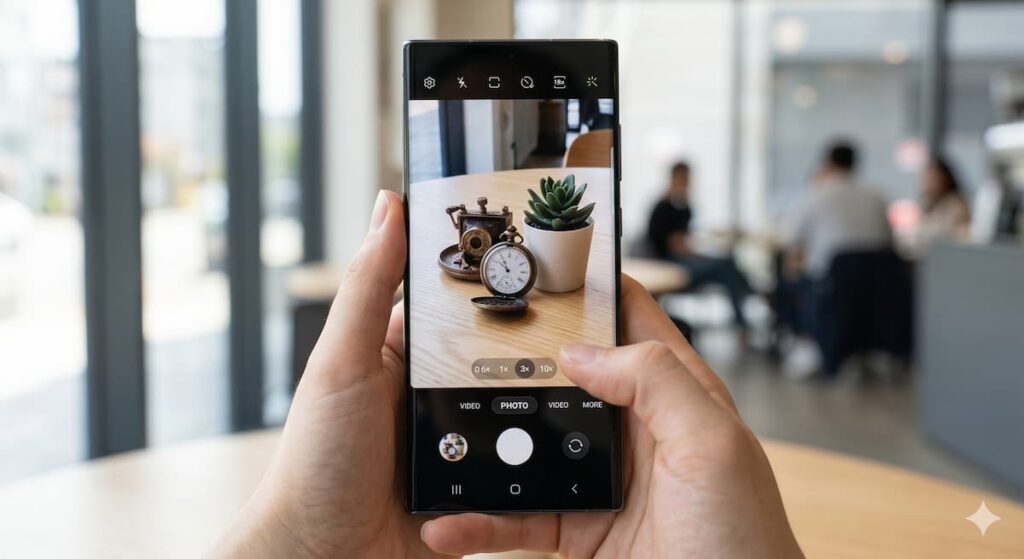
Camera repairs on Samsung phones are among the most expensive. A replacement camera module for a Galaxy S24 Ultra can cost CHF 120–200. Test every lens individually — sellers sometimes only show you the main lens because it is the one that still works.
⚡ QUICK VIDEO + MIC TEST
Switch to Video mode and record 20 seconds. Talk normally while recording. Then play it back with full volume. You are checking: video stabilisation, autofocus smoothness, and whether the microphone picks up your voice clearly without muffling, static, or echo. This single test covers both camera and mic at the same time.
A blown speaker is a hidden cost many buyers discover too late
Samsung Galaxy phones from the S series and many A-series models have stereo speakers — a bottom speaker and an earpiece that doubles as a second speaker. Both should work clearly. A damaged speaker is not just annoying — it is expensive to replace.
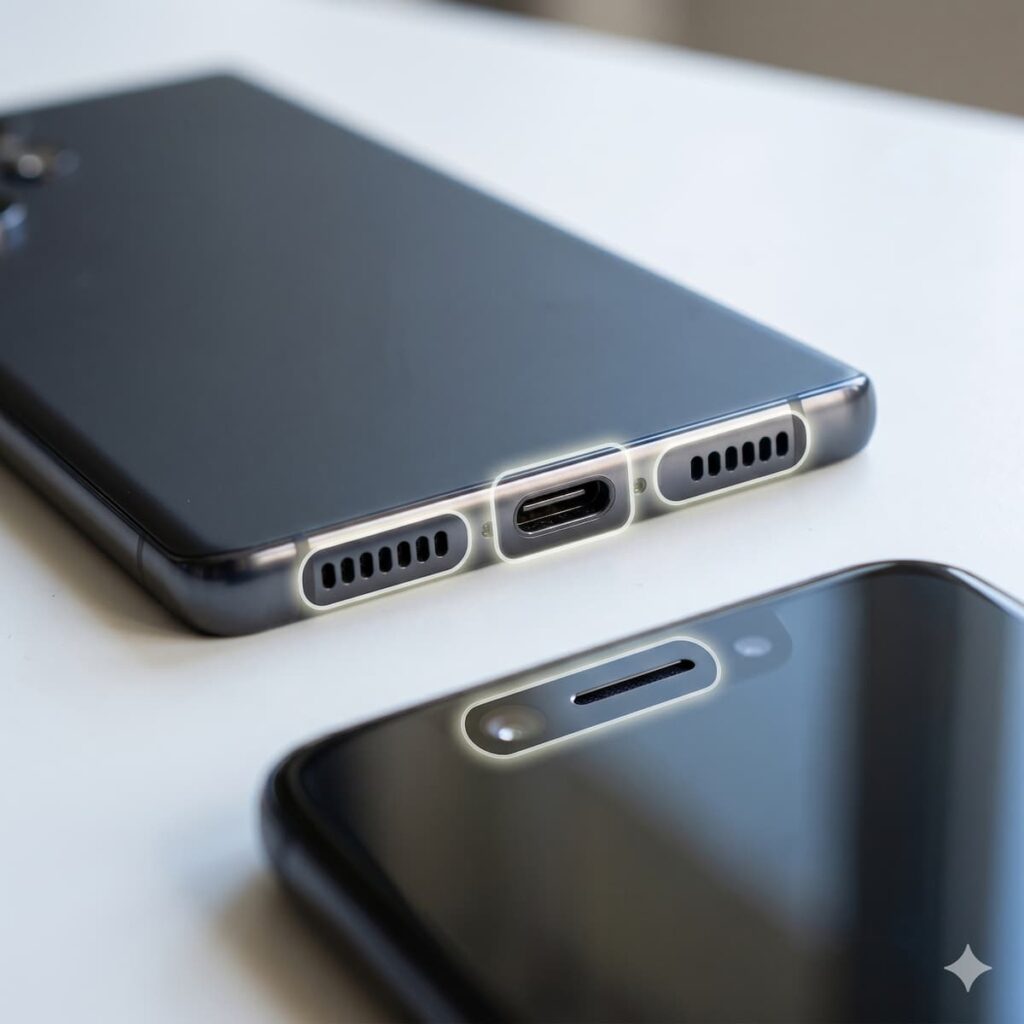
*#0*# Receiver test, or make a short call. The voice should be clear with no buzzing through the top earpiece.
*#0283# audio loopback code. Speak into the mic and it should play back immediately. Test the bottom mic RCV_1stMic and top mic SPK_2ndMic separately.
*#0*# menu, tap Vibration. A healthy motor gives a strong, clean buzz. A weak rattle or irregular vibration means the motor is worn.
💡 PRO TIP
Also test with the Voice Memos / Voice Recorder app. Samsung phones have 2–3 microphones. Recording with the native app uses a different microphone path than video, so it will catch problems that the video test misses.
Never skip this. A stolen phone can become worthless overnight.
The IMEI (International Mobile Equipment Identity) is the fingerprint of your phone. Every mobile network in Switzerland can blacklist a phone by its IMEI if it is reported stolen — which means the phone will stop working on any Swiss network. A stolen phone sold on Ricardo today could stop working tomorrow.
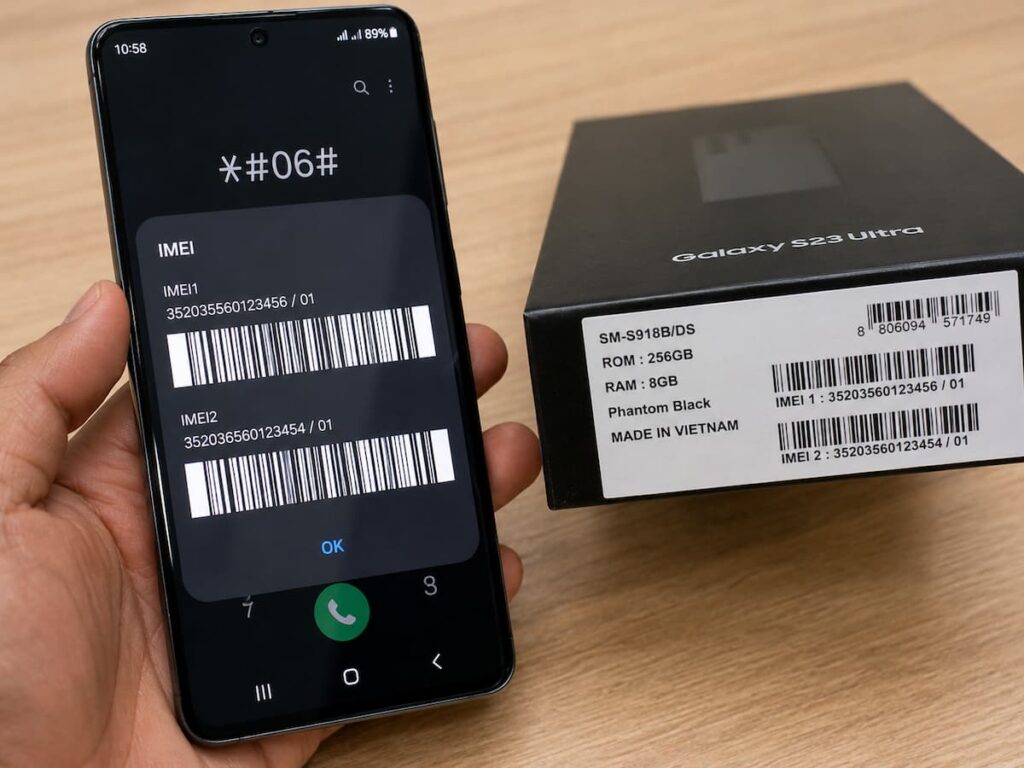
IMEI QUICK CHECK
Open the phone dialer and enter:
*#06#
This shows the IMEI instantly on the screen. Compare this number with the IMEI on the original box, receipt, and phone settings. If the numbers do not match, do not buy the phone.
IMEI SETTINGS CHECK
Settings → About Phone → IMEI Information
SIM TRAY IMEI CHECK
Another place to check the IMEI is the SIM tray:
SIM tray → IMEI is usually engraved on the tray or printed inside
🚨 SWITZERLAND-SPECIFIC WARNING
In Switzerland, Swisscom, Sunrise, and Salt all participate in the national IMEI blacklist. A phone reported stolen to any Swiss operator can be blocked on Swiss mobile networks. Never buy a used phone without verifying its IMEI not even from someone you know.
A locked phone is a brick. Confirm both accounts are removed before paying.
Android phones have a security feature called Factory Reset Protection (FRP). If the phone is factory-reset while a Google account is still logged in, it will ask for that Google account’s password after restart and no one else can unlock it. This makes stolen phones unsellable — but scammers still try to sell them.
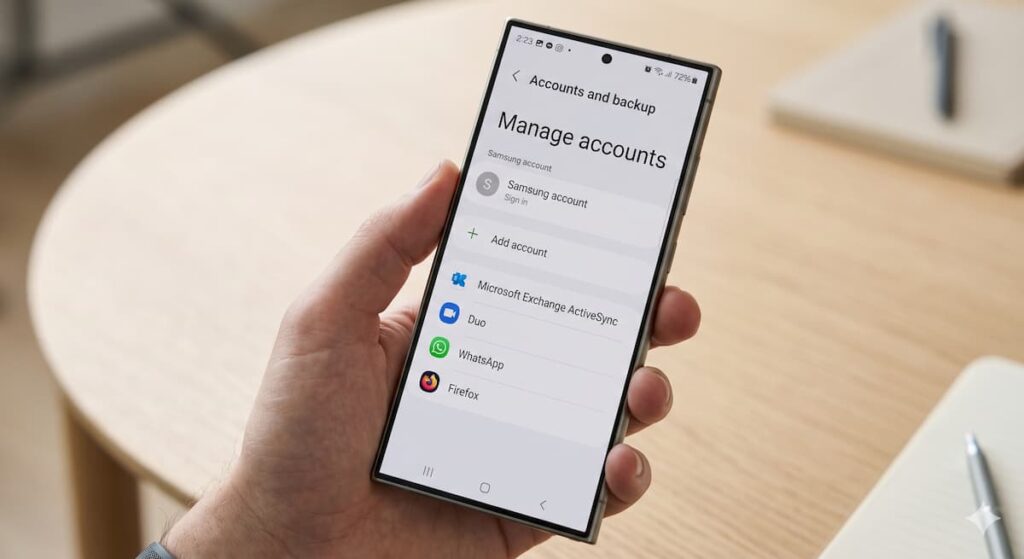
ACCOUNT LOCK CHECK
Settings → Accounts and Backup → Manage Accounts
No Google accounts should be listed. If there is one, ask the seller to remove it in front of you right now — not later, not after you pay.
SAMSUNG ACCOUNT CHECK
To check if a Samsung account is still connected, go to the top of the Settings page:
Settings → Samsung Account
The Samsung Account should also be signed out. Samsung’s Find My Mobile feature works similarly to Google’s FRP — an active Samsung Account can lock or remotely wipe the device.
🚨 NEVER PAY BEFORE ACCOUNTS ARE REMOVED
This is the single most important rule when buying any used Android phone. We have seen many cases in Switzerland where buyers paid, received the phone, and within 24 hours the phone was remotely wiped and locked via Find My Mobile. Once the money has changed hands, it can be very difficult to recover it.
Repaired phones are not always bad — but you deserve to know
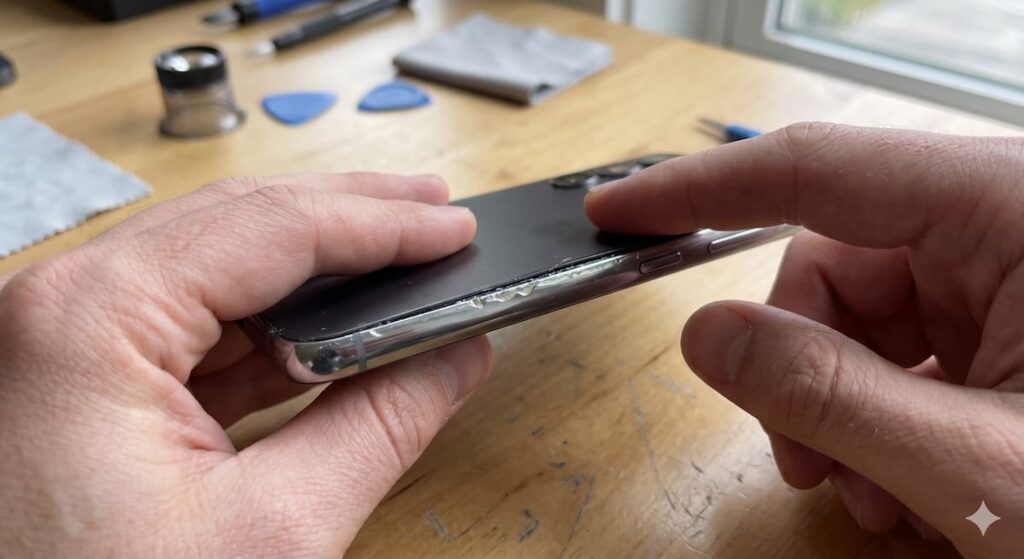
A repaired phone is not necessarily a problem — screen replacements and battery swaps are completely normal. What matters is whether the repair was done properly with quality parts, and whether the seller has disclosed it. Here is how to spot repair history that was never mentioned.
*#0*# and also check Settings → About Phone. A tripped Knox counter, such as 0x1 or higher, means the bootloader was unlocked, usually for rooting. This can void Samsung warranty and disable secure features like Samsung Pay.
💡 FROM MY REPAIR EXPERIENCE
A screen replaced by a proper repair shop using a genuine Samsung panel is perfectly fine and should not affect your decision — as long as the price reflects it. What you want to avoid is a screen replaced with a cheap aftermarket panel that fades, loses sensitivity, or develops green lines within a year. If in doubt, ask for the repair receipt.
BEFORE YOU PAY
Every defect you find is a legitimate reason to negotiate
After your inspection, you will likely find one or two things that are not perfect. Use them. Sellers on Ricardo and Tutti almost always leave room in their price, and a confident, specific negotiation based on real issues is completely normal in Switzerland.
The Fix Mission is currently run by me personally. With 5 years of experience in phone repair, buying, and selling, I offer free advice before you buy a used phone, sell your current device, or pay for a repair. My goal is simple: help you make a safer decision before spending money.
Get Free Advice →Screenshot this and take it with you
Physical Condition
No hidden cracks, frame intact, camera lens clear
Screen Test Passed
No dead pixels, no burn-in, no green line, full touch
Battery Healthy
Charges fast, no swelling, no excessive heat
*#0*# Diagnostic Passed
All tests green — display, speaker, touch, sensor
Samsung Members Passed
Full diagnostic test — no failed components
All Cameras Working
Main, ultra-wide, zoom, selfie, video + mic
Speakers & Mic Clear
No crackling, both speakers balanced
IMEI Verified
Matches box, clean record, correct model
Google Account Removed
No FRP lock risk — no accounts linked
Samsung Account Removed
Find My Mobile disabled, Knox clean





good
Amazing info. Very helpful
Very information Thanks
Thank you for very detailed article and very useful tips. I just have one follow up question about the fake or non original phones in the market. Sometimes, it is hard to differentiate the fake ones as they look really close to the original ones. Any tips?
Very well explained and all technical analysis along with pros and cons were clarify specifically
This is apt. As a Samsung fan, this is helpful